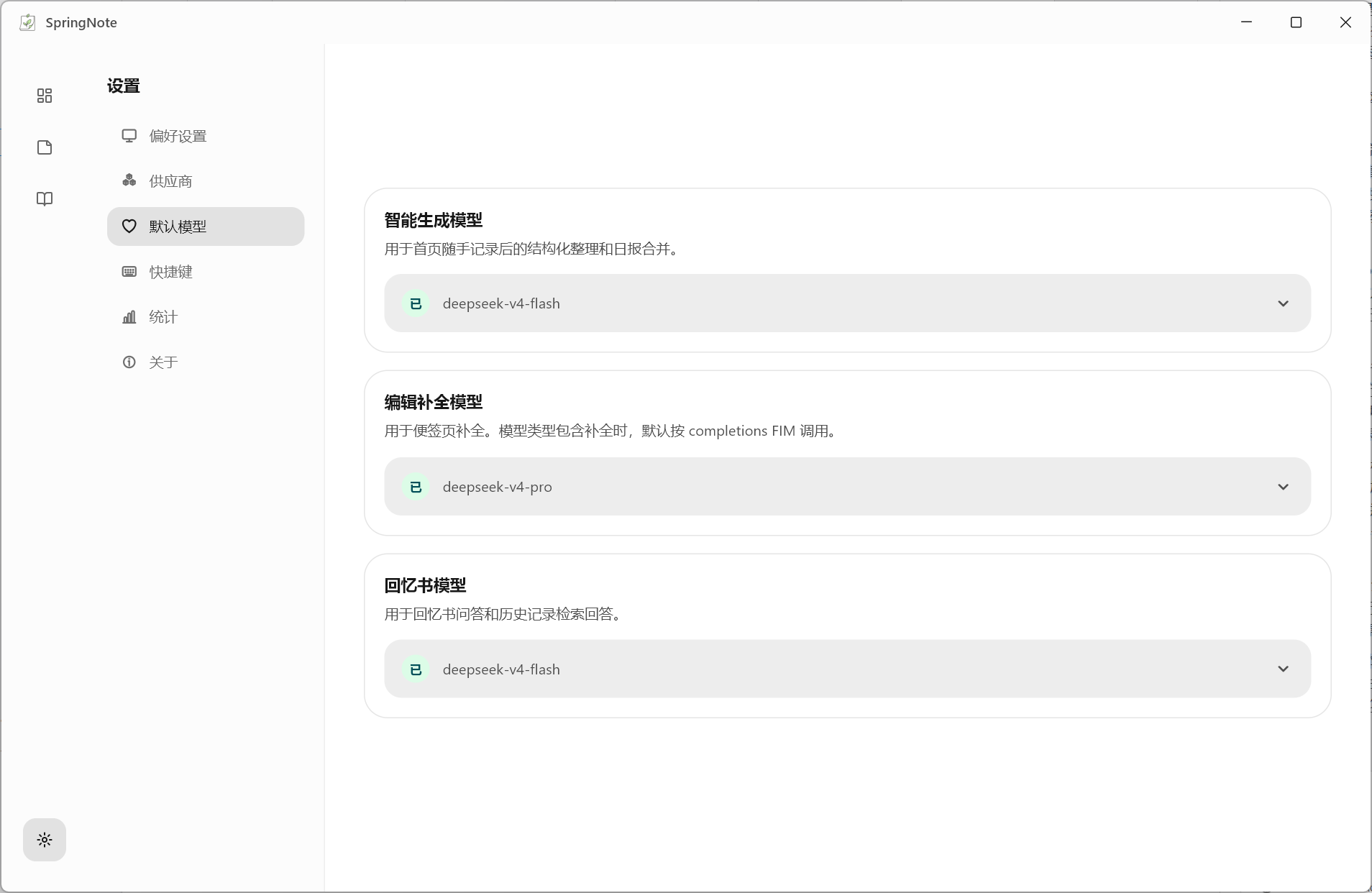
Model Setup
SpringNote supports multiple providers, model types, and default model assignments. Intelligent generation, edit completion, and the memory book can use different models.
Setup Flow
01
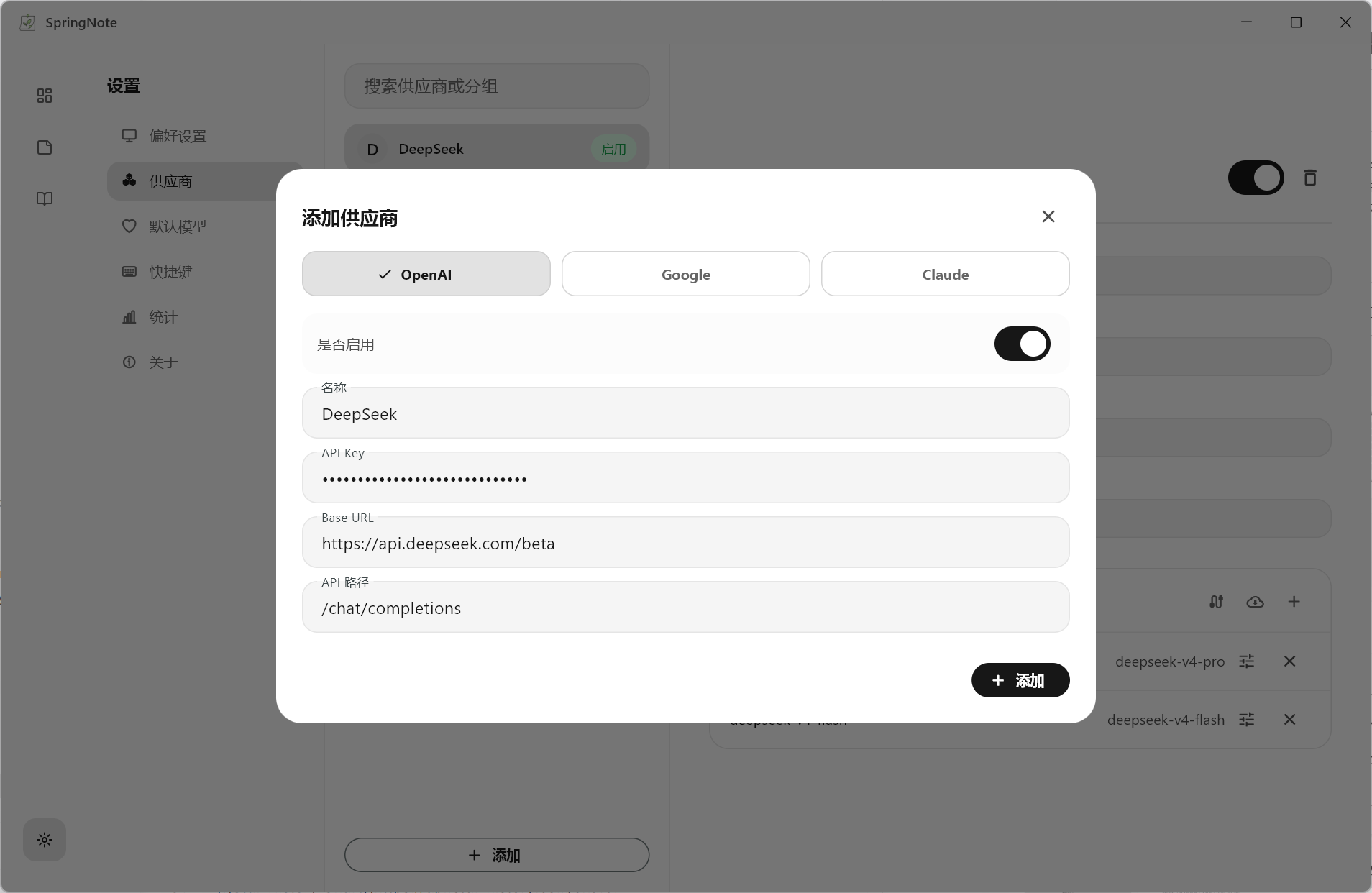
Add a provider
Start with the provider name and Base URL. SpringNote uses providers as model groups, so multiple OpenAI-compatible services can stay organized.
02
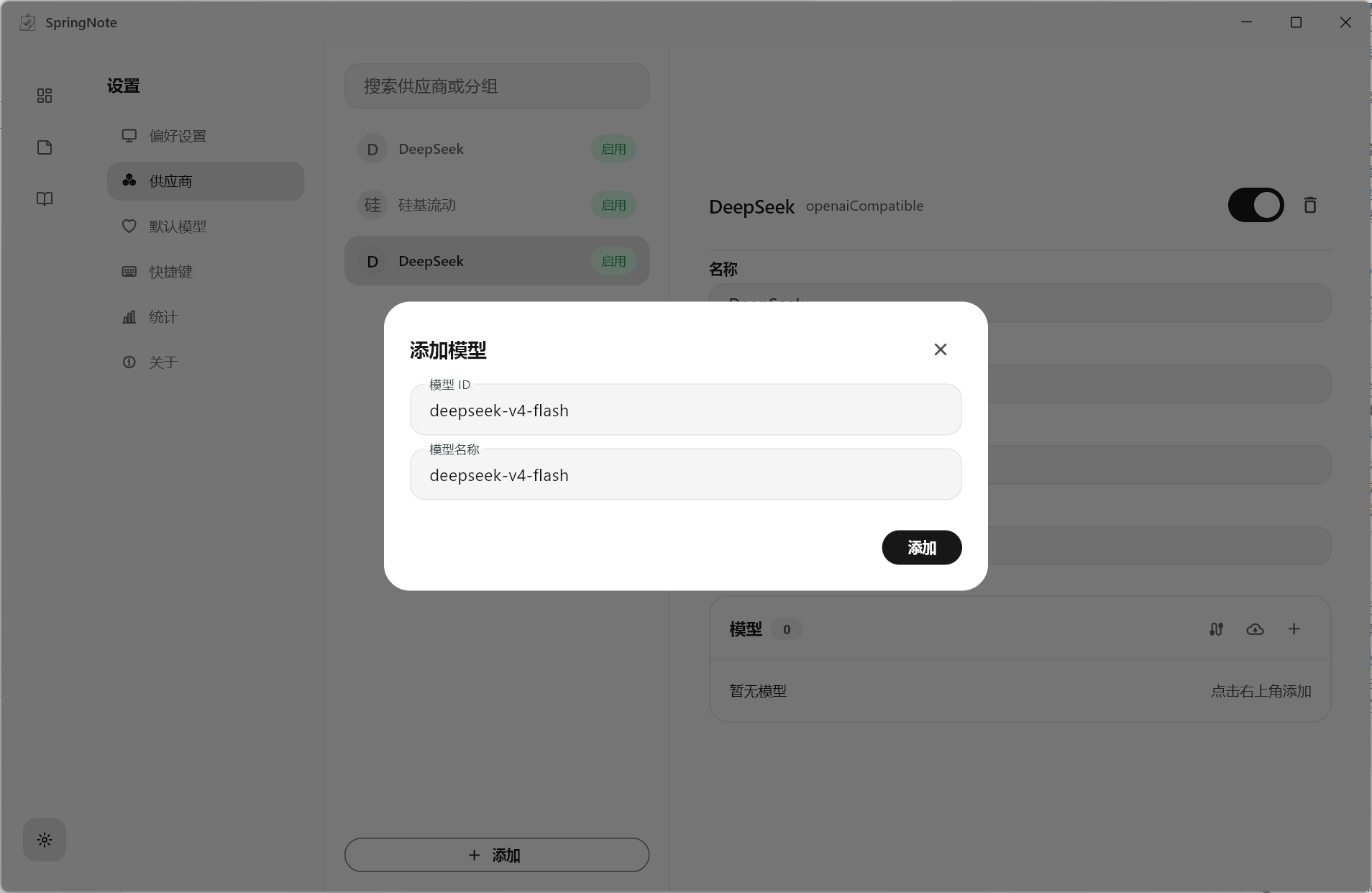
Add a model
Enter the model ID and mark what it can do. Different models can be assigned to generation, completion, or memory retrieval.
03
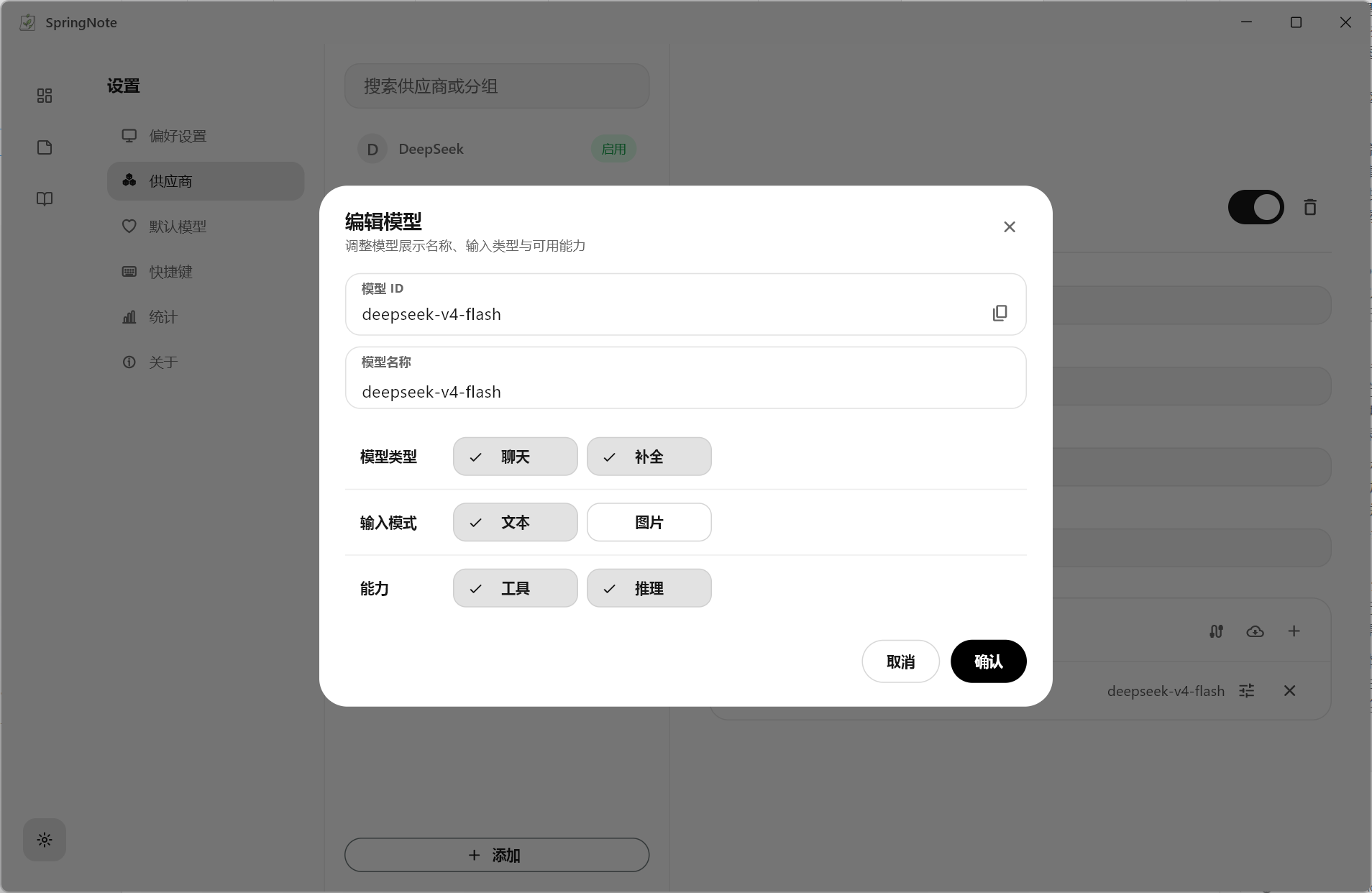
Edit capabilities
Review the protocol, model type, and completion mode. These options define where the model appears across editing, summaries, and retrieval.
04
Choose defaults
Assign default models for each AI scenario. Daily notes, organization, and the memory book then use the matching configuration automatically.